Granola
What is Granola?
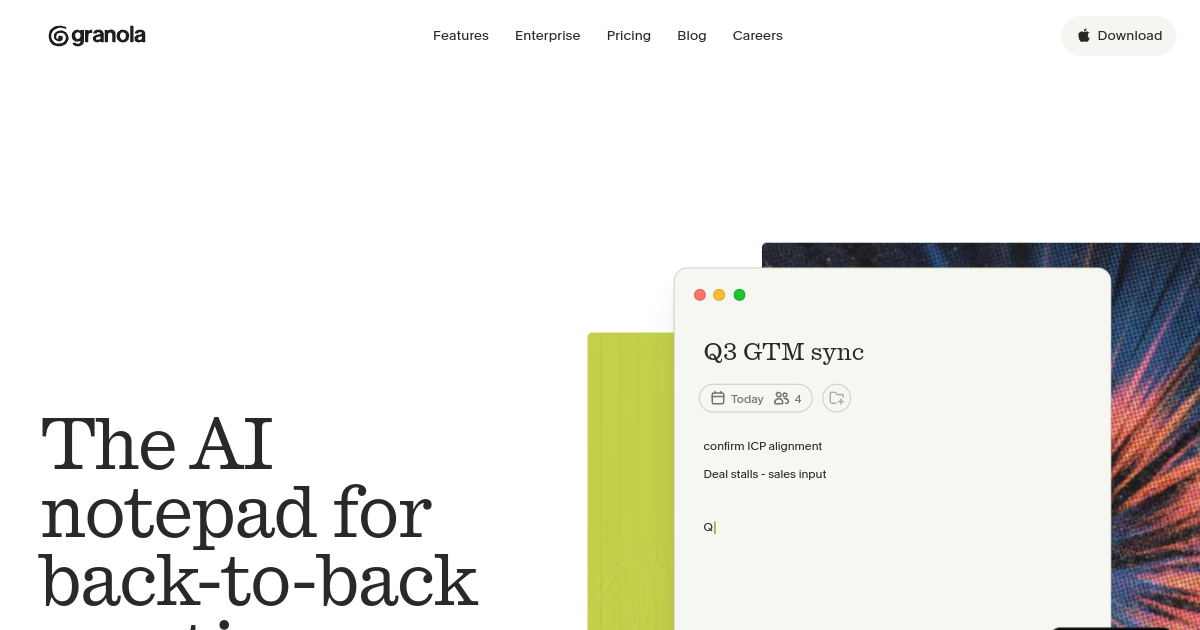
TL;DRGranola is an AI meeting notepad that turns live conversations and rough notes into polished summaries, action items, and searchable meeting memory. It is built for founders, sales teams, product managers, recruiters, and operators.
- Generate AI meeting notes without recording full audio
- Chat across meeting history and summaries
- Use templates, folders, and integrations for team workflows
Explore with AI


About
Granola is an AI meeting notepad that helps users turn calls into clean notes, summaries, action items, and meeting memory. It is designed for people who spend a lot of time in meetings and want useful notes without manually writing everything down.
For FutureStack users, Granola is a high-quality niche tool because it solves a specific and painful workflow. Founders can use it for customer calls, sales teams can use it for follow-ups, managers can use it for internal updates, and operators can use it to keep decisions from getting lost.
Granola is also interesting because it has grown quickly in the AI productivity market. Its pricing page lists a free Basic plan, a Business plan at $14 per user per month, and an Enterprise plan at $35 per user per month.
This listing helps FutureStack cover AI meeting notes without only relying on older or generic transcription tools. It is best for back-to-back meetings, customer interviews, team syncs, investor calls, sales discovery, and lightweight meeting memory.
Use Cases
Capture meeting context
Turn meeting context and notes into structured summaries, decisions, and follow-up actions without relying on manual note-taking.
Prepare customer follow-ups
Use meeting summaries to capture objections, requirements, commitments, and next steps after customer and sales conversations.
Share team decisions
Organize meeting notes and shared folders so teammates can quickly understand decisions, context, and outstanding work.
Search meeting history
Use AI chat across meeting history to find prior discussions, decisions, and useful context when preparing for future work.
Key Features
- Generate AI meeting notes without recording full audio
- Chat across meeting history and summaries
- Use templates, folders, and integrations for team workflows
- Supports multi-language notes and collaboration
We may earn commissions from links to support our work. Learn more.
Explore with AI
Pricing summary
Basic is free, Business is $14 per user per month, and Enterprise is $35 per user per month.
Pricing & Plans
Basic
Free AI meeting notes for getting started.
Free
- AI meeting notes
- Limited meeting history
- AI chat across meetings
- Customized note templates
Popular
Business
Unlimited meeting notes and integrations for individuals or teams.
$14/month
- Unlimited meeting notes and history
- Advanced AI features
- Integrations with Notion, Slack, HubSpot, and more
- API access
Enterprise
Security and admin controls for larger companies.
$35/month
- Enterprise security controls
- Single sign-on
- Admin controls
- Built for larger teams
Other pricing notes
- Basic is free with limited meeting history and core AI meeting-note features.
- Business is $14 per user/month and adds unlimited history, advanced AI models, integrations, MCP, and API access.
- Enterprise is $35 per user/month with enterprise security, administration, and SSO.
Pricing last checked: July 2026Official pricing
Pros & Cons
Pros
- Turns messy meeting notes into clear summaries without needing a recording bot
- Works well for people who already take partial notes during calls
- Strong fit for founders, sales teams, product managers, and customer calls
- Keeps meeting context lightweight compared with heavier call intelligence platforms
- Useful for turning conversations into follow ups and shared updates
Cons
- Best value depends on how many meetings you personally attend
- Not a full sales coaching or revenue intelligence suite
- Teams may still need separate tools for video recording and CRM workflows
- Private meeting context should be reviewed before sharing generated notes
- Heavy enterprise compliance buyers may need deeper security review
The Best Granola Alternatives
The best Granola alternatives are Fathom, Otter.ai, and Fireflies AI.


Frequently Asked Questions
Reviews
Honest feedback from the FutureStack community.
0.00 ratings
No reviews yet. Be the first to share your experience.
Trending Tools on FutureStack
Discover the most popular and hand-picked AI tools across FutureStack










Granola
Productivity