Riverside
What is Riverside?
TL;DRRemote recording platform with AI editing and repurposing. It helps modern teams and builders streamline video workflows with practical AI capabilities, integrations, and repeatable automation for everyday work.
- Remote Recording And Ai Repurposing
- Workflow support for podcasts, interviews, separate tracks, editing, clips, and publishing
- Integrated tools and automation for recording led video and audio production
Explore with AI


About
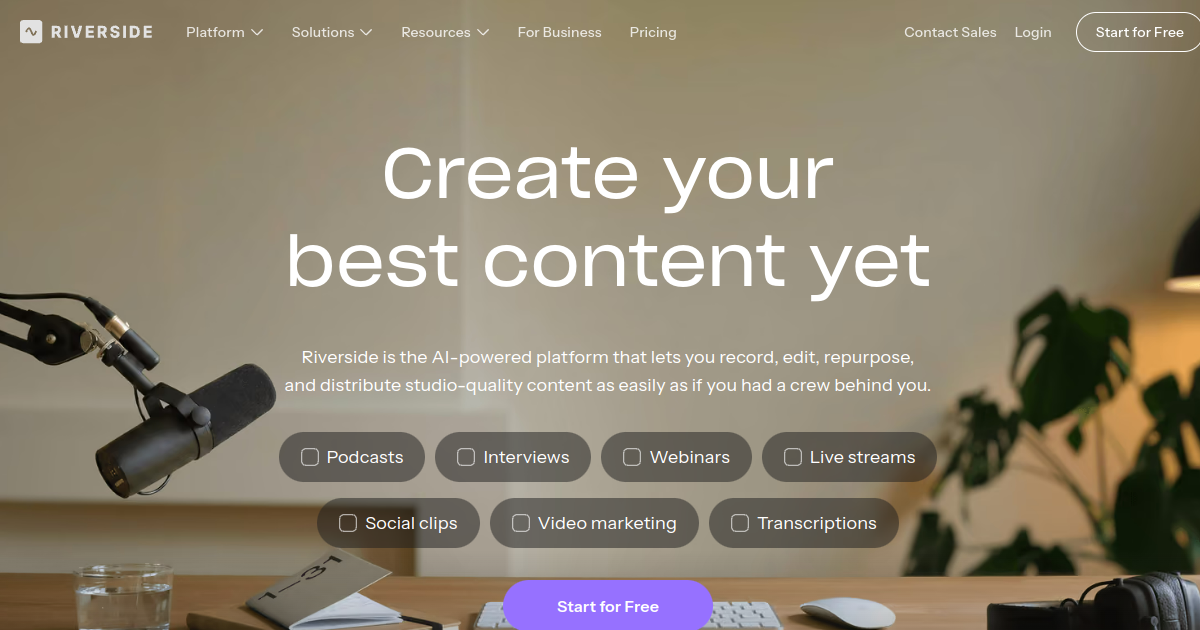
Riverside is an online recording and production platform designed for high-quality remote podcasts, interviews, and video conversations. It records separate audio and video tracks and brings recording, editing, and publishing into one workflow.\n\nCreators and teams can use Riverside for podcasts, interviews, webinars, social clips, transcripts, and repurposed content. AI tools help turn recordings into usable clips and supporting content, reducing manual post-production.\n\nRiverside differentiates itself by combining studio-style remote recording with integrated editing, live production, hosting, and AI repurposing. Paid tiers add recording time, collaboration, branding, and business capabilities.\n\nFor FutureStack, Riverside belongs in Video because its strongest buyer intent is recording-led video and audio production. It is best for podcasters, creators, marketers, and remote teams. Buyers should compare recording hours, storage, editing features, and live production needs.
The workflow is designed for practical use, helping users reduce repetitive work, move faster, and keep important context closer to the task. Its value depends on the product capabilities, connected data, and the way teams configure the workflow.
For buyers, the most important considerations are current features, integrations, usage limits, output quality, security, and pricing. AI products change quickly, so the official product documentation and pricing page should be used for final purchasing decisions.
This makes the tool useful for modern builders and teams that want practical AI assistance without adding unnecessary workflow complexity. Review the current product documentation for supported features and limits before relying on it for important production work.
Use Cases
Create Video Content
Generate and refine video assets for marketing, social media, storytelling, and creative production workflows.
Creative Prototyping
Explore scenes, characters, motion, camera ideas, and visual concepts before full production.
Social Video Production
Create short-form clips and campaign assets for recurring social publishing and audience engagement.
AI Media Workflows
Combine generation, editing, audio, and creative automation into repeatable production workflows.
Key Features
- Remote Recording And Ai Repurposing
- Workflow support for podcasts, interviews, separate tracks, editing, clips, and publishing
- Integrated tools and automation for recording led video and audio production
- Product controls for video workflows
We may earn commissions from links to support our work. Learn more.
Explore with AI
Pricing summary
Riverside offers plans for its recording led video and audio production workflow. Pricing and limits should be verified on the official pricing page before purchase.
Pricing & Plans
Free
Free plan for Riverside.
Free
- 2 hours separate tracks
- 720p video
- Basic editing
- Magic Clips
Popular
Pro
Pro plan for Riverside.
$29/month
- 15 hours separate tracks
- Up to 4K video
- AI editing agent
- Podcast publishing
Grow
Grow plan for Riverside.
$39/month
- 20 hours separate tracks
- Live streaming
- AI thumbnails
- Social scheduling
Other pricing notes
- Pricing and usage limits can change, so buyers should verify the live official page before purchase.
- Buyers should confirm plan limits, integrations, usage costs, and commercial terms.
Pricing last checked: August 2026Official pricing
Pros & Cons
Pros
- Focused on remote recording and AI repurposing
- Useful for recording led video and audio production
- Combines multiple workflow steps
- Supports practical AI assisted work
- Has a clear primary use case
Cons
- Plan limits should be checked before scaling
- Feature availability can change over time
- Some workflows may require setup
- Usage costs can vary by workload
- Not a fit for every workflow
The Best Riverside Alternatives
The best Riverside alternatives are Descript, Captions, and Otter.ai.

Frequently Asked Questions
Reviews
Honest feedback from the FutureStack community.
0.00 ratings
No reviews yet. Be the first to share your experience.
Trending Tools on FutureStack
Discover the most popular and hand-picked AI tools across FutureStack










Riverside
Video