Slack Code
What is Slack Code?
TL;DRSlack Code is Slack’s collaborative coding environment where teams and AI coding agents work together in temporary code channels to plan, build, review, and ship software with shared context.
- Bring teammates and AI agents into a dedicated code channel to plan work, provide context, review changes, and guide development together.
- Review AI-generated work through code views, diffs, previews, comments, approvals, and agent status without leaving the shared Slack workflow.
- Keep project conversations, artifacts, and development context searchable after code channels close or archive, while Slack permissions and security controls remain in place.
Explore with AI


About
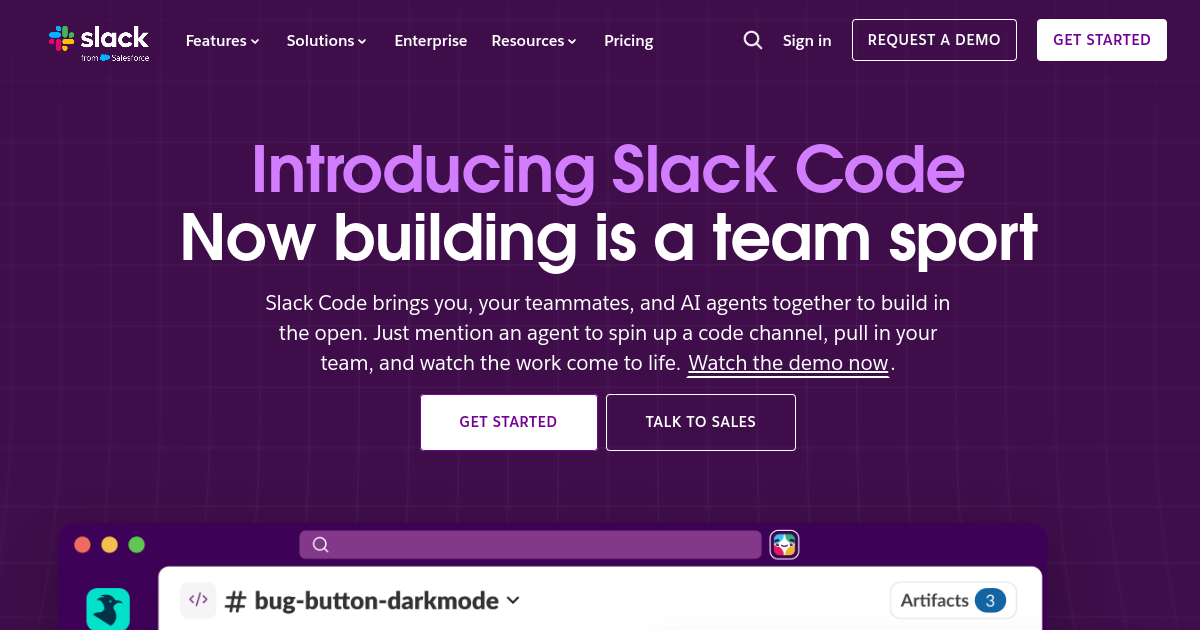
Slack Code is Slack’s collaborative coding environment that brings people and AI coding agents into a shared space to build software together. Instead of keeping agent-driven development in a private terminal, IDE, or browser tab, teams can use dedicated code channels to plan work, prompt an agent, review output, and keep the conversation around the work in Slack. Code channels are temporary spaces created for a specific project or task, giving teams a focused place to collaborate without cluttering their main channels.
In a code channel, teammates can mention a supported AI agent, describe what they want built or fixed, share files and context, and follow the agent as it works. Agents can produce code, create or update files, generate canvases, and provide HTML previews or other artifacts depending on the integration. Teams can inspect code diffs, comment on changes, make suggestions, and approve or redirect AI-generated work. Status indicators also help teammates see whether an agent is working, idle, blocked, or finished, while quick actions can connect the work to related development workflows.
Slack Code is differentiated by making AI-assisted software development a multiplayer workflow rather than a solo coding session. The code channel keeps the project conversation, agent activity, artifacts, and human feedback together, while Slack’s existing visibility, permissions, and security model applies to the workspace. Supported agents currently include Claude, Devin, GitHub Copilot, and Vercel, with availability depending on the workspace and installed integrations. Completed code channels can be closed or archived while their messages and artifacts remain available for search and future context.
For founders, engineering teams, and other collaborators, Slack Code is useful when software work benefits from shared direction, review, and rapid feedback instead of a single developer working with an agent in isolation. It can support feature development, bug fixes, prototypes, code review, and other contained projects where multiple people need visibility into the agent’s work. Slack Code is currently rolling out gradually, and access depends on having a supported agent installed; teams should also verify the specific agent’s capabilities and account requirements before adopting it.
Use Cases
Collaborate on agent coding
Bring developers, product teammates, and AI agents into one focused code channel to plan and build a software task together.
Review AI-generated changes
Give teammates a shared place to inspect agent progress, review code changes and previews, and provide feedback before work ships.
Steer coding agents
Keep humans in the loop by prompting agents, answering questions, sharing files, and redirecting work from Slack.
Keep development context
Preserve the conversation around an AI coding task so teams can search the context and understand how work was planned and completed.
Key Features
- Temporary code channels for focused software projects
- Collaborative prompting with teammates and AI coding agents
- Shared visibility into agent work, changes, and previews
- Searchable context and Slack workspace permissions
We may earn commissions from links to support our work. Learn more.
Explore with AI
Pricing summary
Slack Code has no separate public subscription price. Access depends on Slack workspace availability and supported agent integrations, with some agents requiring their own paid accounts.
Pricing & Plans
Popular
Slack Access
Use code channels through an eligible Slack workspace.
Custom
- Code channels
- Team collaboration
- Agent integrations
- Slack security
Supported Agents
Connect supported coding agents to project channels.
Custom
- Claude integration
- Devin integration
- GitHub Copilot integration
- Vercel agent integration
Enterprise
Use Slack governance and controls for larger teams.
Custom
- Enterprise permissions
- Security controls
- Team administration
- Agent governance
Other pricing notes
- Slack Code is rolling out gradually, so availability can vary by workspace and account.
- Current supported agents listed by Slack include Claude, Devin, GitHub Copilot, and Vercel.
- Code channels follow Slack workspace permissions and enterprise-grade security controls.
- Some supported AI agent integrations may require a separate paid account.
Pricing last checked: August 2026Official pricing
Pros & Cons
Pros
- Keeps AI coding work visible to the whole team
- Works inside an existing Slack collaboration workflow
- Supports multiple leading coding-agent integrations
- Lets non-developers review and steer agent work
- Uses Slack workspace permissions and security controls
Cons
- Availability is still rolling out gradually
- Depends on supported AI agent integrations
- Some agents require their own paid account
- Not a standalone IDE or coding model
- Access depends on Slack workspace and agent eligibility
The Best Slack Code Alternatives
The best Slack Code alternatives are Cursor, Devin, and GitHub Copilot.

Frequently Asked Questions
Reviews
Honest feedback from the FutureStack community.
0.00 ratings
No reviews yet. Be the first to share your experience.
Trending Tools on FutureStack
Discover the most popular and hand-picked AI tools across FutureStack










Slack Code
Coding