
OpusClip
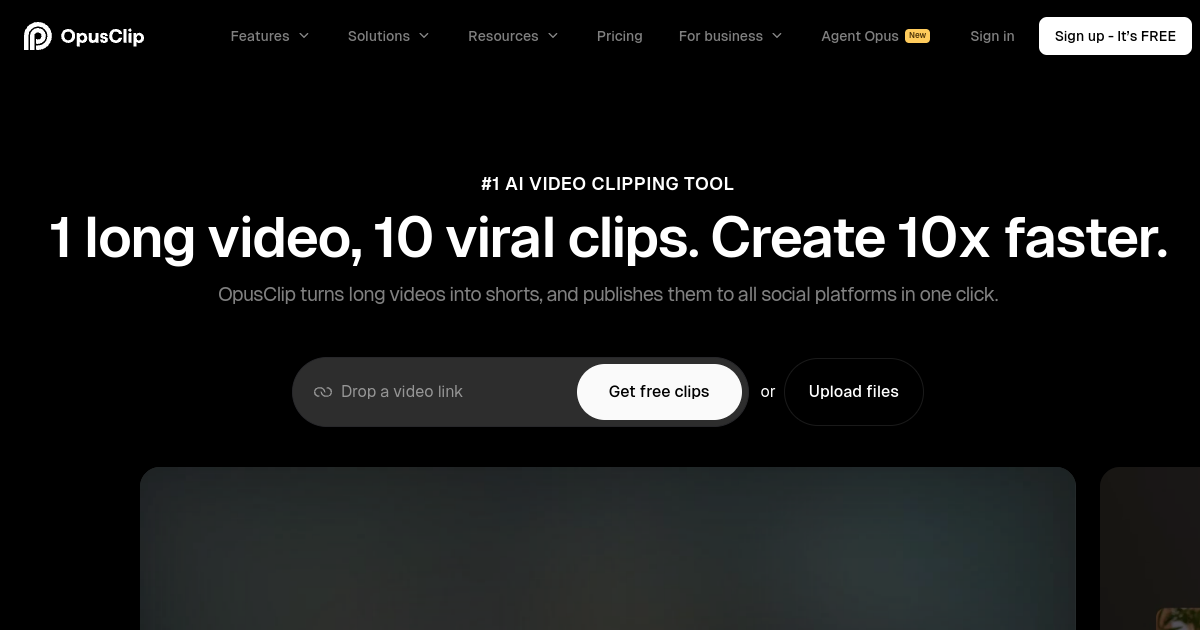
What is OpusClip?
TL;DROpusClip is an AI video repurposing platform that finds highlights in long videos, turns them into short clips, adds captions, reframes content, and prepares social-ready edits for creators and teams.
- AI-driven curation to identify hooks and viral moments
- Automatic active speaker detection and vertical reframing
- Auto-captioning with emojis, highlighting, and custom styles
Explore with AI


About
OpusClip is an AI-powered video repurposing platform designed to turn long-form videos into viral short clips for platforms like TikTok, YouTube Shorts, and Instagram Reels. The platform analyzes video content to identify hook moments, extracts compelling segments, and automatically adds captions, transitions, and screen layouts. It acts as an automated editing assistant that speeds up content marketing workflows.
The product is useful for podcasters, educators, creators, and marketing teams who need to maintain a consistent social media presence without spending hours in manual video editing suites. Users upload a YouTube link or a raw video file, and OpusClip handles the transcription, clipping, reframing to 9:16 vertical format, and caption styling. It helps teams test multiple video angles and hooks quickly.
A key difference is OpusClip's AI curation score, which rates each clip's likelihood of virality based on audience engagement data. While it simplifies short-form creation, buyers should know that it is not a traditional timeline editor. It excels at automated, template-based cuts rather than custom artistic editing, and usage is tracked by hours of uploaded footage.
For FutureStack, OpusClip belongs in Video because it focuses on video editing, clipping, and social formatting. It is best for content creators and marketers who want to turn long podcasts or webinars into captioned social media shorts. It is not for filmmakers needing multi-cam synchronization or complex manual color grading.
Use Cases
Short-form Repurposing
Turn long videos, podcasts, interviews, and webinars into multiple short clips for social channels.
Podcast Clips
Find engaging moments in podcast episodes and package them into captioned vertical clips.
Social Video Production
Generate platform-ready clips with captions, reframing, and editing assistance for social publishing.
Content Recycling
Extend the life of existing video libraries by automatically identifying reusable moments and highlights.
Key Features
- AI-driven curation to identify hooks and viral moments
- Automatic active speaker detection and vertical reframing
- Auto-captioning with emojis, highlighting, and custom styles
- B-roll generation and auto-layouts for multi-person videos
We may earn commissions from links to support our work. Learn more.
Explore with AI
Pricing summary
OpusClip offers a free trial plan with 60 minutes of video processing. Paid plans start at $9 per month for the Starter plan and $19 per month for the Pro plan, with pricing scaling based on upload hours.
Pricing & Plans
Free Trial
Test the platform with limited upload minutes.
Free
- 60 minutes of video upload
- AI curation scoring
- Auto-layout options
- Standard rendering resolution
Popular
Starter
Perfect for individual content creators.
$9/month
- 150 upload minutes per month
- No watermarks
- Auto captions & emojis
- 1080p video exports
Pro
For professional teams and regular uploaders.
$19/month
- 300 upload minutes per month
- Brand templates
- Auto B-roll insertion
- Priority rendering queue
Other pricing notes
- Upload credits are measured in minutes of source video processed, not exported output.
- Annual billing options offer up to a 50% discount compared to monthly billing.
Pricing last checked: July 2026Official pricing
Pros & Cons
Pros
- Significantly reduces the time required to edit short videos
- Accurate active speaker reframing for vertical platforms
- Generates multiple high-quality clips from a single upload
- Built-in virality scoring helps select the best clips
- Easy-to-use interface that requires no video editing experience
Cons
- Templates and styles can look repetitive across different creators
- AI transcription requires manual correction for niche terminology
- Upload limits are restricted by hours of video on lower tiers
- Limited manual editing control over transitions and visual effects
- Requires a strong internet connection for processing and rendering

Frequently Asked Questions
Reviews
Honest feedback from the FutureStack community.
0.00 ratings
No reviews yet. Be the first to share your experience.
Trending Tools on FutureStack
Discover the most popular and hand-picked AI tools across FutureStack










OpusClip
Video