FutureStack LogoFutureStack
HomeDiscoverBlogNewsletter
Subscribe
FutureStack LogoFutureStack

Community-driven AI tools discovery. Built for students, builders, and founders to find what actually works.

01 // Discover

  • All Tools
  • Free Tools
  • Leaderboard
  • Submit a Tool

02 // Trending

03 // Categories

  • AI Writing
  • Video Tools
  • Coding & Dev
  • Image Generation
  • Marketing AI
  • View all 12

04 // By Role

  • For Developers
  • For Founders
  • For Marketers
  • For Designers
  • For Students
  • View all roles

05 // Company

  • About
  • Blog
  • Newsletter
  • Help Center
  • Privacy Policy
  • Terms of Service
FEATURED & VERIFIED ON:
FutureStack - Featured on Startup FameFeatured on Launch LlamaFeatured on ShipBoostPowered by Startup Fast
© 2026 FutureStack. Built for the AI frontier.
Systems Operational · v2.4
Back to tools
Warp

Warp

AI terminal and coding agents for building, debugging, and automating software.

Visit Website
At a Glance
Website
warp.dev
Category
Coding
Ideal For
Founder, Developer
Platforms
Web, Desktop
Added
August 30, 2026
Pricing
Freemium
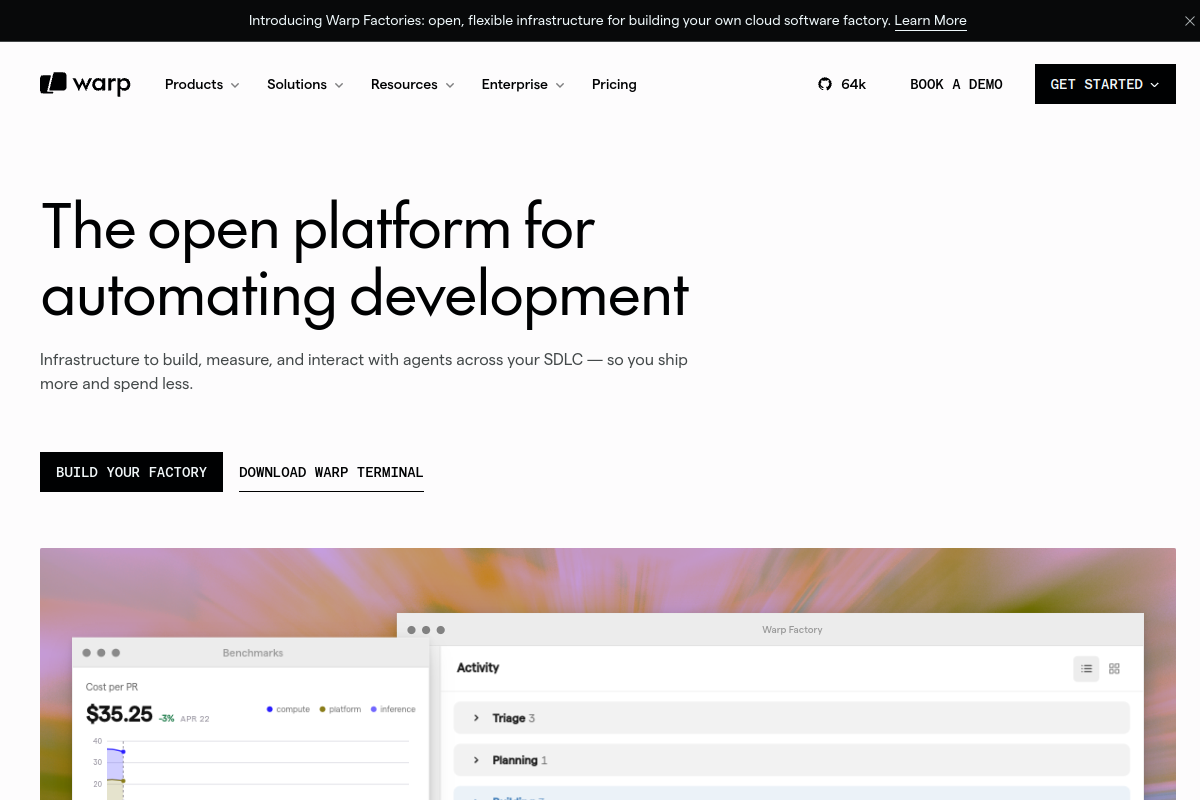
Warp screenshot

What is Warp?

Quick Summary / TL;DR

Warp is an AI-native terminal and developer workspace built around an agent that can work across code, repositories, cloud environments, and team workflows. It combines a modern terminal with agentic coding, codebase context, model choice, and integrations so a founder or technical builder can move

  • AI coding agent with terminal and codebase context
  • Multiple model options plus BYOK support on supported plans
  • Cloud agents and software factory automation

About

Warp is an AI-native terminal and developer workspace built around an agent that can work across code, repositories, cloud environments, and team workflows. It combines a modern terminal with agentic coding, codebase context, model choice, and integrations so a founder or technical builder can move from an issue or request to an implemented result without leaving the development environment. Warp can use its own AI capacity or let developers bring their own model credentials, and its cloud agents extend work beyond a single local shell session. For a founder building a product, Warp can help investigate bugs, modify a codebase, run development commands, review changes, and coordinate work through GitHub, Slack, and Linear. Its Agent can work with multiple frontier and open source models, while Warp Drive provides shared context and collaboration features. Warp also offers factories that can automate coding-agent workflows from GitHub, Slack, webhooks, and schedules, making it useful for repetitive engineering operations and software delivery tasks. Warp stands out by combining a serious terminal, agentic coding, model flexibility, and automation rather than presenting AI as a separate chat window. BYOK is available on supported plans, and usage can be credit based, so costs can vary with agent activity. Cloud agents and factory features also introduce a different operational model from purely local coding assistants. Developers should review current credit pricing, model availability, data controls, and the level of autonomy they want before relying on automated changes. For FutureStack, Warp belongs in Coding because the primary buyer intent is building, debugging, and operating software with an AI-enabled terminal. It is a strong fit for founders who are technical or work closely with code and want one environment for development, agent execution, and automation. Buyers should compare it with their existing coding agent and terminal stack before adding another

Use Cases

AI-assisted software development

Delegate coding, debugging, repository investigation, and implementation tasks to an agent inside the terminal workflow.

Cloud coding automation

Run development tasks with cloud agents and connect them to repositories and team workflows.

Software factory workflows

Automate repeatable engineering tasks from GitHub, Slack, webhooks, and schedules.

Multi-model development

Choose among supported models or bring your own model credentials for different coding tasks.

Key Features

  • AI coding agent with terminal and codebase context
  • Multiple model options plus BYOK support on supported plans
  • Cloud agents and software factory automation
  • GitHub, Slack, Linear and collaboration integrations

Featured Tools

Cursor logo
Cursor
Coding
Claude Code logo
Claude Code
Coding
OpenWorker logo
OpenWorker
AI Agents

We may earn commissions from links to support our work. Learn more.

Explore with AI

ChatGPTClaudePerplexityGemini

Pricing summary

Warp offers a free plan plus usage-based paid plans with included AI credits.

Pricing & Plans

Popular

Build

Flexible AI development with included credits.

$20/month
  • 1,500 credits
  • Full Warp Agent access
  • Cloud agents
  • Codebase indexing

Free

Modern terminal with limited AI access.

Free
  • Core terminal features
  • Warp Agent CLI access
  • BYO AI inference
  • Limited cloud agents

Max

Higher AI capacity for intensive development.

$200/month
  • 18,000 credits
  • Everything in Build
  • Higher AI capacity
  • Extended agent access

Other pricing notes

  • 'Build and Max use included credits for agent work and allow additional usage.'
  • 'BYOK is available on supported paid plans.'
  • 'Factory usage can follow separate usage-based pricing.'
Pricing last checked: August 2026Official pricing page

Pros & Cons

Pros

  • Combines terminal and agentic coding in one workflow
  • Supports multiple model providers
  • BYOK gives additional model flexibility
  • Strong automation options for repetitive engineering work
  • Free tier available

Cons

  • Agent usage is credit based
  • Advanced cloud features may increase costs
  • Autonomous changes still need review
  • Some capabilities depend on plan or beta access
  • Best value is for code-heavy workflows

The Best Warp Alternatives

The best Warp alternatives are Cursor, Claude Code, and OpenWorker.

Cursor

Cursor

Freemium

Coding

Choose Cursor if...

  • ✓you want combines editing, codebase chat, autocomplete, and agents in one coding workspace
  • ✓you need works well for real project work because it can reference files and project context
  • ✓you value solo founders, developers, and engineering teams building quickly
See details ↓
Claude Code

Claude Code

Freemium

Coding

Choose Claude Code if...

  • ✓you want high accuracy in codebase analysis and multi-file reasoning
  • ✓you need works natively in the terminal without requiring a specific IDE
  • ✓you prefer handles complex git workflows, bug hunting, and refactoring
See details ↓
OpenWorker

OpenWorker

Free

AI Agents

Choose OpenWorker if...

  • ✓you want open source and local-first by design
  • ✓you need approval checkpoints reduce risk for external actions
  • ✓you prefer bYOK and local model support give users flexibility
See details ↓

Frequently Asked Questions

Reviews

Honest feedback from the FutureStack community.

0.0
0 ratings

No reviews yet. Be the first to share your experience.

Featured Tools

Cursor logo
Cursor
Coding
Claude Code logo
Claude Code
Coding
OpenWorker logo
OpenWorker
AI Agents

We may earn commissions from links to support our work. Learn more.

Explore with AI

ChatGPTClaudePerplexityGemini

Trending in Coding

Discover the most popular and fastest-growing AI tools in this space

Devin
Devin

Devin

Freemium

Coding

Choose Devin if...

  • ✓you want stronger fit for larger engineering tasks than chatbots
  • ✓you need supports cloud, CLI, desktop, review, and automations
  • ✓you value teams comparing autonomous coding agents
See details ↓
Bolt.new
Bolt.new

Bolt.new

Freemium

Coding

Choose Bolt.new if...

  • ✓you want quick MVPs and app prototypes
  • ✓you need runs coding, preview, and editing in the browser
  • ✓you value solo founders without complex local setup
See details ↓
ZCode
ZCode

ZCode

Paid

Coding

Choose ZCode if...

  • ✓you prefer GLM model users
  • ✓you need designed for real coding tasks, not only chat
  • ✓you prefer clear Lite, Pro, and Max usage tiers
See details ↓
Jules
Jules

Jules

Freemium

Coding

Choose Jules if...

  • ✓you want backed by Google
  • ✓you value repository tasks
  • ✓you prefer good early SEO opportunity
See details ↓
IBM Bob
IBM Bob

IBM Bob

Paid

Coding

Choose IBM Bob if...

  • ✓you prefer enterprise modernization
  • ✓you need includes IBM-specific workflows and skills
  • ✓you prefer supports code actions, reviews, CLI, and analysis
See details ↓
Shipper
Shipper

Shipper

Freemium

Coding

Choose Shipper if...

  • ✓you want broad app categories from websites to bots and extensions
  • ✓you need plain-English builder lowers the barrier for non-coders
  • ✓you prefer free plan helps users test the workflow before paying
See details ↓
Cursor
Cursor

Cursor

Freemium

Coding

Choose Cursor if...

  • ✓you want combines editing, codebase chat, autocomplete, and agents in one coding workspace
  • ✓you need works well for real project work because it can reference files and project context
  • ✓you value solo founders, developers, and engineering teams building quickly
See details ↓
CommandCode
CommandCode

CommandCode

Paid

Coding

Choose CommandCode if...

  • ✓you prefer developers who prefer terminal workflows
  • ✓you need learns repeated coding preferences over time
  • ✓you prefer supports skills, memory, MCP, plugins, and commands
See details ↓
Muse Code
Muse Code

Muse Code

Paid

Coding

Choose Muse Code if...

  • ✓you want strong coding focused model integration
  • ✓you need multi agent workflows
  • ✓you prefer supports multimodal development
See details ↓
Kilo Code
Kilo Code

Kilo Code

Freemium

Coding

Choose Kilo Code if...

  • ✓you want open-source AI coding agent across IDE, CLI, and cloud
  • ✓you need supports 500+ models with zero inference markup
  • ✓you prefer agent modes for code, architect, debug, and custom workflows
See details ↓






