
OpenWorker
What is OpenWorker?
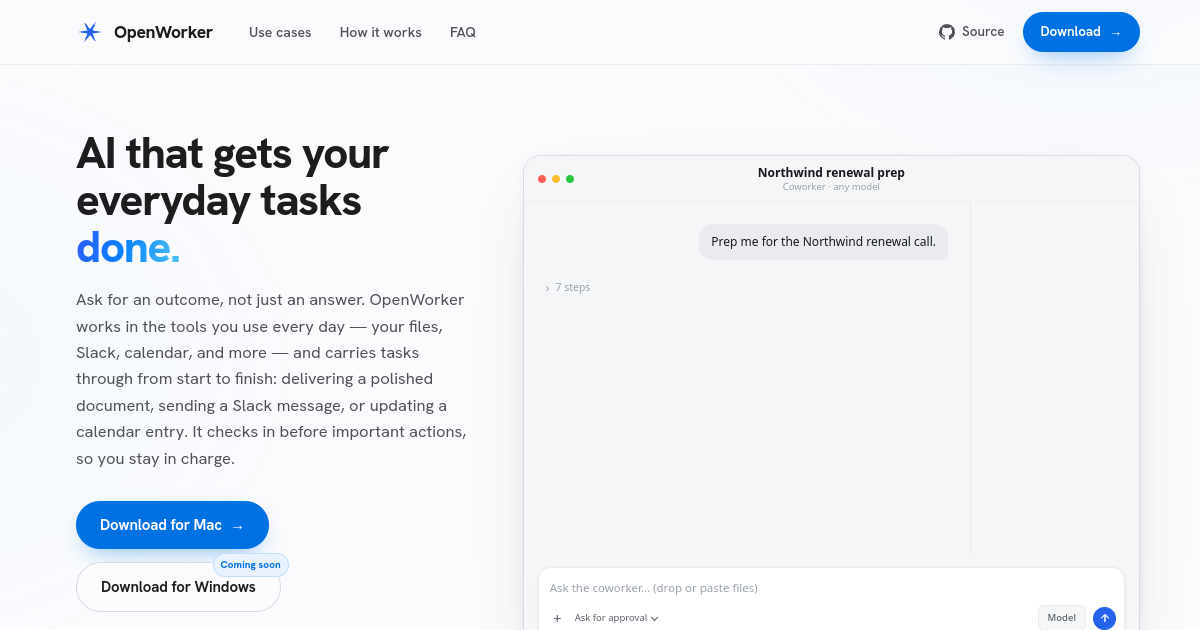
TL;DROpenWorker is an open-source, local-first AI coworker that can work across files, Slack, email, calendars, CRMs, GitHub, Notion, and other everyday tools. It focuses on completing practical tasks with user approval for consequential actions.
- Open-source local-first AI coworker for everyday tasks
- Connects files, Slack, email, calendar, CRM, GitHub, and more
- Bring your own model keys or run local models through Ollama
Explore with AI


About
OpenWorker is an open-source, local-first AI coworker that works across everyday tools such as files, Slack, email, calendar, CRMs, GitHub, Notion, and project management systems. Instead of only answering questions, it is designed to complete outcomes like preparing briefs, drafting follow-ups, organizing schedules, or triaging incidents.
The product emphasizes user control and privacy. OpenWorker runs on the user's machine, stores passwords and tokens locally, lets users bring their own model or API keys, and asks for approval before consequential external actions such as sending an email, posting to Slack, or running a command.
OpenWorker supports cloud models, open-weight providers, and local models through Ollama. It can work with OpenAI, Anthropic, Gemini, Z.AI, DeepSeek, Kimi, MiniMax, Qwen, xAI, Mistral, Together AI, Fireworks, and more, depending on user configuration.
For FutureStack, OpenWorker belongs in AI Agents because it is a practical task-execution agent for everyday knowledge work. It is best for people who want a local-first assistant that can interact with real tools while keeping important actions approval-based.
Use Cases
Local AI Coworker
Delegate everyday knowledge-work tasks to an AI assistant that runs locally and works with connected business tools.
Inbox & Calendar Work
Use connected email and calendar access to triage messages, prepare follow-ups, and organize schedules with approval controls.
Developer Operations
Connect GitHub, files, and other tools so an agent can help with research, briefs, issue work, and operational tasks.
Privacy-Focused Agents
Keep credentials and sensitive tool access on your machine while using approval checkpoints before important external actions.
Key Features
- Open-source local-first AI coworker for everyday tasks
- Connects files, Slack, email, calendar, CRM, GitHub, and more
- Bring your own model keys or run local models through Ollama
- Approval checkpoints before important external actions
We may earn commissions from links to support our work. Learn more.
Explore with AI
Pricing summary
OpenWorker is free and open source. Users bring their own model/API keys or run local models, so costs come from OpenAI, Anthropic, Google, local hardware, or other model providers.
Pricing & Plans
Popular
Open Source
Use the OpenWorker app for free on your machine.
Free
- 100% open source
- Local-first app
- Manual connections
- Mac download
BYOK Models
Bring your own API keys and pay providers directly.
Custom
- OpenAI keys
- Anthropic keys
- Gemini keys
- Ollama local models
Free Account
Use optional account features for one-click connections.
Free
- One-click connections
- OAuth handshake
- Slack support
- Tokens stay local
Other pricing notes
- OpenWorker says the app is open source and free.
- Users pay model providers directly when using cloud API keys.
Pricing last checked: July 2026Official pricing
Pros & Cons
Pros
- Open source and local-first by design
- Approval checkpoints reduce risk for external actions
- BYOK and local model support give users flexibility
- Connects to practical work tools, not just chat
- Good fit for privacy-conscious agent workflows
Cons
- Mac-first today, with Windows marked as coming soon
- Requires users to manage model keys or local models
- Tool permissions still need careful setup
- Advanced workflows may need manual configuration
- Open-source projects can require more hands-on maintenance
Frequently Asked Questions
Reviews
Honest feedback from the FutureStack community.
0.00 ratings
No reviews yet. Be the first to share your experience.
Trending Tools on FutureStack
Discover the most popular and hand-picked AI tools across FutureStack










OpenWorker
AI Agents