FutureStack LogoFutureStack
HomeDiscoverBlogNewsletter
Subscribe
FutureStack LogoFutureStack

Community-driven AI tools discovery. Built for students, builders, and founders to find what actually works.

01 // Discover

  • All Tools
  • Free Tools
  • Developer API
  • Submit a Tool

02 // Trending

03 // Blogs

  • View all blogs

04 // Categories

  • AI Writing
  • Video Tools
  • Coding & Dev
  • Image Generation
  • Marketing AI
  • View all 12

05 // By Role

  • For Developers
  • For Founders
  • For Marketers
  • For Designers
  • For Students
  • View all roles

06 // Company

  • About
  • Blog
  • Contact
  • Newsletter
  • Help Center
  • Privacy Policy
  • Terms of Service
FEATURED & VERIFIED ON:
FutureStack - Featured on Startup FameFeatured on Launch LlamaFeatured on ShipBoostPowered by Startup Fast
© 2026 FutureStack. Built for the AI frontier.
Systems Operational · v2.4
LM Studio

LM Studio

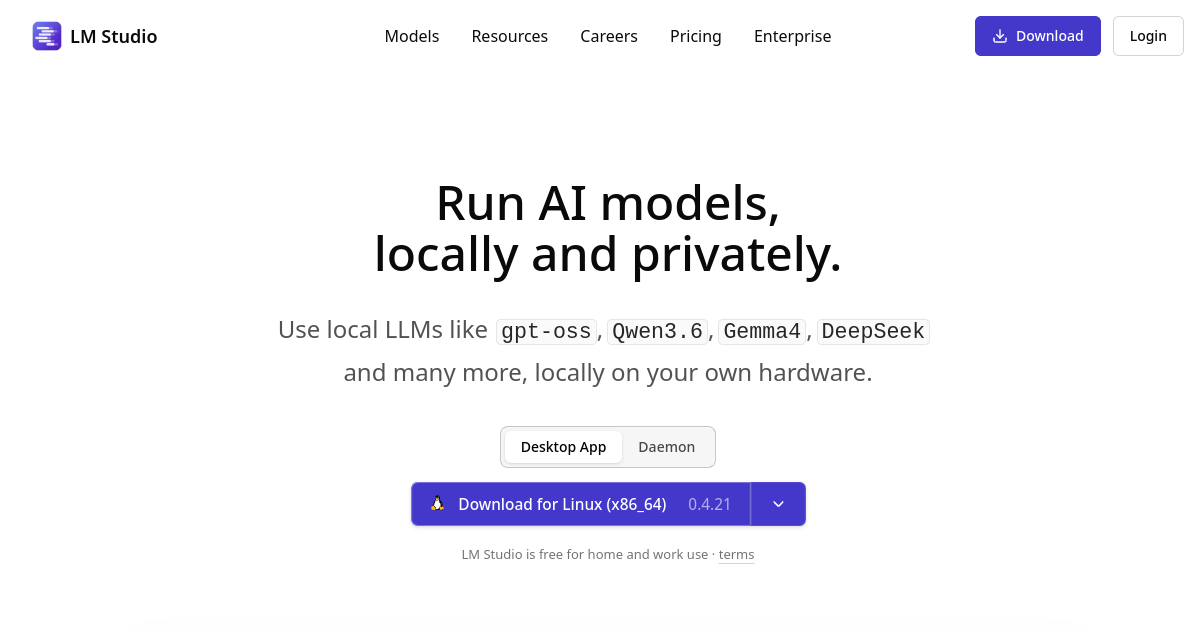
Private desktop app for running local LLMs, voice transcription, MCP, and cloud models.

Visit Website
At a Glance
Website
lmstudio.ai
Category
Developer Tools
Ideal For
Developer, Founder
Platforms
Desktop, API
Added
August 20, 2026
Pricing
Free
Last Verified
September 3, 2026
LM Studio screenshot

What is LM Studio?

TL;DR

LM Studio is a desktop AI platform for running local language models privately on your own hardware, with support for offline inference, voice transcription, MCP, and an OpenAI-compatible API. It also offers optional cloud inference with usage-based pricing.

  • Local LLM inference and chat
  • OpenAI-compatible local API
  • MCP and agent workflows

Explore with AI

ChatGPTClaudePerplexityGemini

About

LM Studio is a desktop application for running and interacting with language models locally on personal computers. It supports local inference, offline voice transcription, MCP, and an OpenAI-compatible API. The product emphasizes privacy by letting users run models and transcription without sending data off the device. Developers can also connect MCP tools and expose local models through compatible APIs. LM Studio now also offers optional cloud models with token-based usage pricing, while the core local application remains free. Model availability and cloud costs vary by the selected service. It is a strong fit for developers, researchers, and privacy-conscious users experimenting with open models. Hardware requirements vary substantially by model size, quantization, and desired performance.

Use Cases

Run Local Models

Download compatible open models and run inference directly on your computer for private experiments, development, and everyday AI work.

Build AI Apps

Expose local models through an OpenAI-compatible API and connect them to applications, scripts, and developer workflows.

Prototype Agents

Use MCP and agent features to experiment with tool-using AI systems while keeping supported workflows close to your local environment.

Test Open Models

Compare different open-weight models locally before deciding whether a model or workflow is ready for hosted production deployment.

Key Features

  • Local LLM inference and chat
  • OpenAI-compatible local API
  • MCP and agent workflows
  • Optional usage-based cloud inference

Featured Tools

Wispr Flow logo
Wispr Flow
Voice-First Dictation
Chatbase logo
Chatbase
Custom AI Chatbots
beehiiv logo
beehiiv
Newsletter Platform

We may earn commissions from links to support our work. Learn more.

Explore with AI

ChatGPTClaudePerplexityGemini

Pricing summary

LM Studio is free for local model use. Cloud inference is pay-as-you-go, with current model-specific prices shown per million input, cached, and output tokens.

Pricing & Plans

Free

Free
  • Local LLMs
  • Voice transcription
  • MCP support
  • OpenAI-compatible API
Popular

Cloud Usage

Custom
  • Pay as you go
  • Open model selection
  • Zero data retention
  • Cloud inference

Bionic Pass

Custom
  • Bionic Agent
  • Open models
  • Local and cloud
  • Pricing coming soon

Other pricing notes

  • Core local inference and the desktop app are free.
  • Cloud inference uses model-specific token pricing and zero-data-retention by default.
Pricing last checked: August 2026Official pricing

Pros & Cons

Pros

  • Runs models locally for privacy
  • No subscription required for core local use
  • OpenAI-compatible API simplifies integration
  • Supports multiple local inference backends
  • Cloud option provides access to larger models

Cons

  • Local model performance depends on hardware
  • Model downloads can require significant storage
  • Cloud inference adds usage costs
  • Some features remain in development
  • Advanced setup may require technical knowledge

The Best LM Studio Alternatives

The best LM Studio alternatives are OpenRouter, Staso AI, and Lovable.

OpenRouter

OpenRouter

Freemium

Developer Tools

Choose OpenRouter if...

  • ✓you want one API provides access to many model providers
  • ✓you need openAI-compatible interface reduces integration work
  • ✓you value comparing models and controlling routing
See details ↓
Staso AI

Staso AI

Freemium

Developer Tools

Choose Staso AI if...

  • ✓you want focused specifically on production AI agent reliability
  • ✓you need combines observability, evaluations, and runtime protection
  • ✓you prefer free personal plan makes it easier for small teams to test
See details ↓
Lovable

Lovable

Freemium

Developer Tools

Choose Lovable if...

  • ✓you want fast prompt-to-full-stack application workflow
  • ✓you need useful integrations with GitHub and Supabase
  • ✓you prefer interactive previews make iteration quick
See details ↓

Frequently Asked Questions

Reviews

Honest feedback from the FutureStack community.

0.0
0 ratings

No reviews yet. Be the first to share your experience.

Featured Tools

Wispr Flow logo
Wispr Flow
Voice-First Dictation
Chatbase logo
Chatbase
Custom AI Chatbots
beehiiv logo
beehiiv
Newsletter Platform

We may earn commissions from links to support our work. Learn more.

Explore with AI

ChatGPTClaudePerplexityGemini

Trending Tools on FutureStack

Discover the most popular and hand-picked AI tools across FutureStack

CommandCode
CommandCode

CommandCode

Paid

Coding

Choose CommandCode if...

  • ✓you prefer developers who prefer terminal workflows
  • ✓you need learns repeated coding preferences over time
  • ✓you prefer supports skills, memory, MCP, plugins, and commands
See details ↓
SambaNova Cloud
SambaNova Cloud

SambaNova Cloud

Freemium

Developer Tools

Choose SambaNova Cloud if...

  • ✓you want strong open-model selection
  • ✓you need usage-based pricing by model and token
  • ✓you prefer designed for production inference workloads
See details ↓
Google Flow
Google Flow

Google Flow

Freemium

Video Generation

Choose Google Flow if...

  • ✓you want strong filmmaking-oriented workflow
  • ✓you need uses multiple Google generative models
  • ✓you prefer supports reference-driven consistency
See details ↓
Amp
Amp

Amp

Paid

Coding

Choose Amp if...

  • ✓you want strong for complex multi-step engineering work
  • ✓you need remote agents can continue without your laptop
  • ✓you prefer specialist agents enable parallel workflows
See details ↓
IBM Bob
IBM Bob

IBM Bob

Paid

Coding

Choose IBM Bob if...

  • ✓you prefer enterprise software development
  • ✓you need supports agents and parallel development work
  • ✓you prefer works across IDE, CLI, and CI/CD workflows
See details ↓
Humanloop
Humanloop

Humanloop

Free Trial

Developer Tools

Choose Humanloop if...

  • ✓you want combines prompt management, evals, and observability
  • ✓you need supports both UI-first and code-first workflows
  • ✓you prefer human and automated evaluation options
See details ↓
LiteAi.me
LiteAi.me

LiteAi.me

Freemium

Developer Tools

Choose LiteAi.me if...

  • ✓you want very low setup barrier for beginners
  • ✓you value students and classroom projects
  • ✓you prefer combines web publishing and Android packaging
See details ↓
Scribe
Scribe

Scribe

Freemium

Productivity

Choose Scribe if...

  • ✓you want turns real workflows into documentation much faster than writing guides manually
  • ✓you prefer SOPs, onboarding, training, customer education, and client handoffs
  • ✓you prefer supports web, desktop, and mobile process capture on paid plans
See details ↓
Cursor
Cursor

Cursor

Freemium

Coding

Choose Cursor if...

  • ✓you want combines editing, chat, autocomplete, and agents
  • ✓you need strong project-context awareness
  • ✓you value founders shipping quickly
See details ↓
OpenWork
OpenWork

OpenWork

Freemium

Developer Tools

Choose OpenWork if...

  • ✓you want open source and local-first
  • ✓you need supports many model providers
  • ✓you prefer useful beyond coding and chat
See details ↓
LM Studio

LM Studio

Developer Tools

Visit






